Key Takeaways
- 01Placement at decision points — not just high-traffic areas — is the primary driver of retail digital signage ROI
- 02Dynamic pricing and inventory-integrated content consistently outperform static promotional content by 30–50%
- 03The average retail customer makes 60–70% of purchase decisions in-store — digital signage directly influences these moments
- 04Multi-location retailers should centralize content management while enabling local override for store-specific promotions
- 05Measuring digital signage impact requires isolating the signage variable from concurrent marketing and pricing changes
The Retail Digital Signage Landscape in 2025
Retail digital signage has evolved from a novelty to a competitive necessity. The POPAI (Point of Purchase Advertising International) 2024 study found that 76% of purchase decisions are made in-store, and that digital signage at the point of decision influences 30–40% of those decisions. Retailers who have not invested in digital signage are ceding this influence to competitors who have.
The technology itself has matured significantly. Commercial-grade displays have become more affordable, CMS platforms have become more powerful and easier to use, and the integration ecosystem — connecting signage to POS, inventory, and loyalty systems — has expanded dramatically. The barriers to entry have fallen, but the gap between a well-executed deployment and a poorly executed one has widened.
Key Stat
76% of purchase decisions are made in-store. Digital signage at the point of decision influences 30–40% of those decisions. — POPAI 2024 Annual Study
Strategic Placement: Where Screens Drive the Most Value
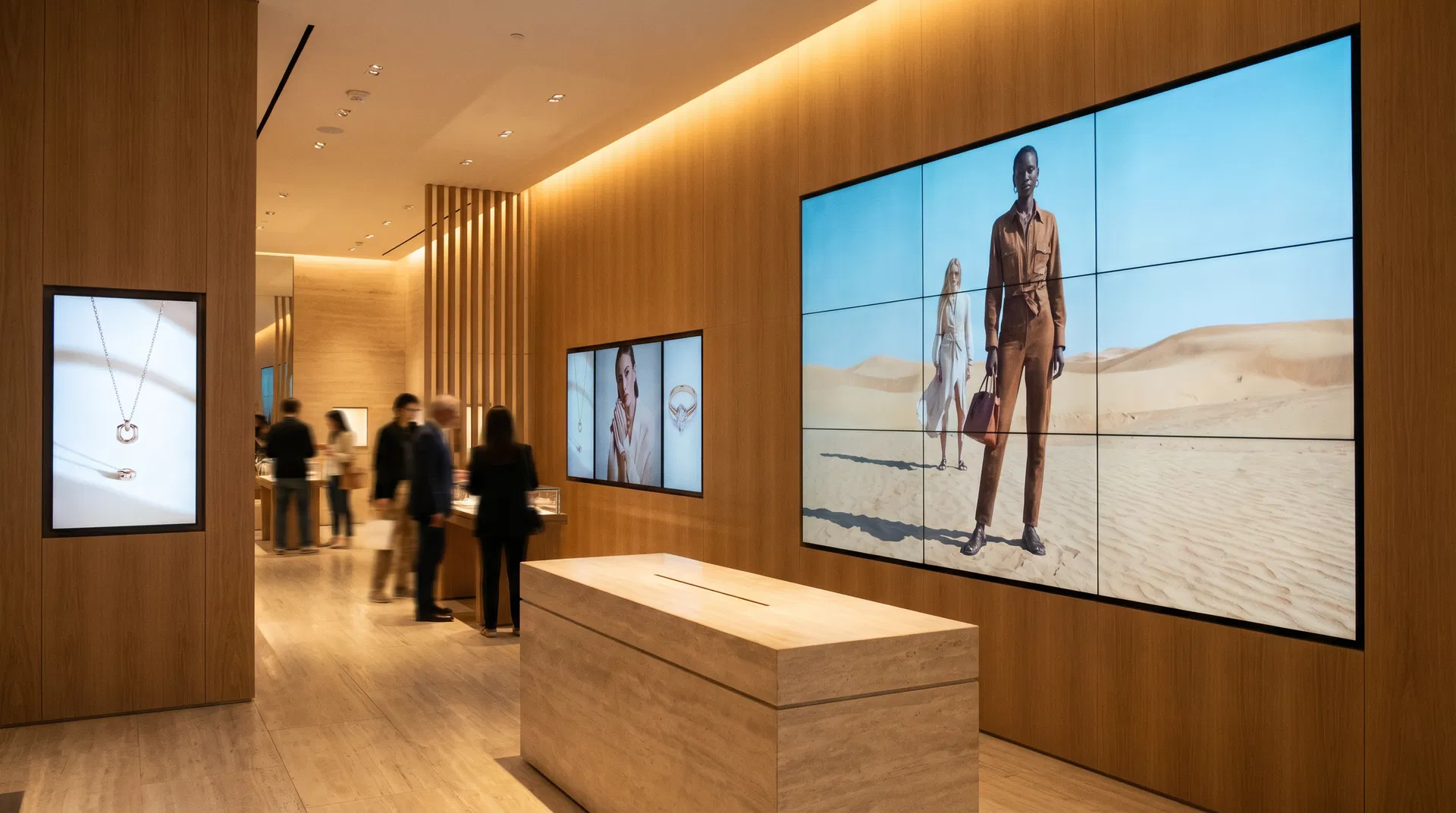
The most common retail digital signage mistake is placing screens where they are convenient to install rather than where they will influence customer behavior. High-traffic areas are necessary but not sufficient — the highest-ROI placement is at decision points, where customers are actively choosing between options.
- Store entrance / threshold: First impressions and promotional awareness. Large-format displays here set the tone for the shopping experience and communicate key promotions before customers begin browsing.
- Category decision points: The moment a customer enters a product category is the highest-value moment for category-specific messaging. Displays at the entrance to electronics, beauty, or home goods sections drive category engagement.
- Point of sale / checkout: Impulse purchase territory. Displays here should focus on add-on items, loyalty program enrollment, and promotional messaging with immediate call-to-action.
- Dwell zones (fitting rooms, service counters, checkout queues): Customers in these areas have time and attention. Use it for brand storytelling, product education, and cross-category inspiration.
- Endcaps and feature displays: Digital endcap displays consistently outperform static endcaps by 15–25% on promoted item sales.
- Exterior / window displays: Attract foot traffic and communicate key promotions to passersby. High-brightness displays (2,500+ nits) are required for window-facing applications.
Content Strategy for Retail: What Works and What Doesn't
Content strategy is where most retail digital signage deployments succeed or fail. The hardware is largely commoditized — the content is the differentiator. These principles are drawn from Coffman Media's analysis of content performance data across 200+ retail deployments.
- Dynamic pricing integration outperforms static promotions by 30–50%. When displays show real-time pricing pulled from your POS system, customers trust the information more and act on it faster.
- Video content outperforms static images by 3–5× on engagement metrics. Even simple motion graphics — animated price callouts, product rotation — dramatically increase dwell time at displays.
- Dayparting improves relevance and conversion. Morning commuters, lunchtime shoppers, and evening browsers have different needs. Content that adapts to time of day consistently outperforms all-day static campaigns.
- Social proof drives conversion. Displaying real-time review counts, ratings, and user-generated content at the point of decision reduces purchase hesitation significantly.
- Keep text minimal. Retail customers are moving. Content should communicate its primary message in 3 seconds or less. If it requires reading, it will be ignored.
- Refresh content regularly. Habituated customers stop seeing content they've seen many times. Establish a content refresh cadence — at minimum weekly for promotional content, monthly for brand content.
The Retail Digital Signage Technology Stack
A retail digital signage technology stack consists of four layers: hardware (displays and media players), network infrastructure, content management software, and data integrations. Each layer must be specified correctly for the others to function effectively.
Hardware: Commercial-grade displays rated for 16–24 hour operation are required for retail environments. Consumer displays void their warranties in commercial use and fail significantly faster. For window-facing applications, specify displays with 2,500+ nit brightness. For standard interior applications, 500–700 nit displays are appropriate.
Network: Content delivery requires reliable network connectivity. For multi-location retailers, a managed network with guaranteed bandwidth allocation for signage traffic is strongly recommended. Media players with local storage provide offline playback capability as a failsafe.
CMS: Choose a platform with strong POS integration capability, intuitive content editing for non-technical staff, and robust scheduling features including dayparting and event-triggered content.
Data integrations: POS integration for real-time pricing, inventory integration for stock-level messaging, and loyalty platform integration for personalized offers represent the highest-ROI integrations for most retail deployments.
Multi-Location Retail: Centralized vs. Distributed Control
Multi-location retailers face a governance challenge that single-location operators do not: how to balance brand consistency with local relevance. The answer is a hybrid model that centralizes brand and promotional content while enabling local override for store-specific messaging.
In practice, this means corporate marketing controls the primary content zones — the displays that carry brand campaigns, national promotions, and compliance-sensitive messaging. Store managers have access to a secondary content zone or a local override capability that allows them to add store-specific promotions, local events, or operational messaging without affecting the corporate content schedule.
This model requires a CMS with robust role-based access control and a clear content governance policy that defines what each user role can and cannot change.
Pro Tip
Governance Tip: Establish a content approval workflow before deployment. Uncontrolled local content overrides are the leading cause of brand inconsistency and compliance failures in multi-location retail signage networks.
Measuring Impact: KPIs and Measurement Methodology
Measuring the impact of retail digital signage requires a disciplined methodology that isolates the signage variable from other factors affecting sales performance. These KPIs and measurement approaches are used by Coffman Media's analytics team across client deployments.
| KPI | Measurement Method | Benchmark |
|---|---|---|
| Sales lift on promoted items | POS data: promoted SKU sales vs. pre-deployment baseline | 15–34% lift |
| Accessory attach rate | POS data: accessory items per primary purchase transaction | +20–40% improvement |
| Average transaction value | POS data: average basket size vs. pre-deployment baseline | +8–15% improvement |
| Customer dwell time | Footfall analytics: average time in-store or in-category | +2–5 minutes increase |
| Staff interruptions | Operational tracking: customer questions requiring staff assistance | -30–45% reduction |
| Signage labor hours | Time tracking: hours spent on signage-related tasks per week | -70–85% reduction |
Frequently Asked Questions
Answers to the most common questions about industry insights in digital signage.
Retail digital signage costs depend on the number of locations, displays per location, hardware specifications, and CMS requirements. A single-location deployment with 10–15 displays typically costs $20,000–$60,000 including hardware, installation, and first-year software. Multi-location enterprise rollouts are typically priced per location, ranging from $8,000–$25,000 per location depending on display count and complexity.

About the Author
Eric Madden
Co-Founder & CTO, Coffman Media
Eric Madden is Co-Founder and CTO of Coffman Media. He oversees the technical architecture of digital signage deployments, including network design, CMS integration, and hardware specification. Eric's engineering background underpins Coffman Media's reputation for technically sound, scalable signage systems.
Connect on LinkedInWork With Coffman Media
Ready to Transform Your Screens Into Powerful Messages?
Coffman Media designs, installs, and manages end-to-end digital signage systems for enterprise, retail, healthcare, and education. From a single display to a nationwide network, we deliver solutions that drive real results.