Key Takeaways
- 01Digital signage reduces perceived wait times by up to 35% in government service offices — one of the highest-impact applications in the public sector
- 02ADA Section 508 compliance requires specific mounting heights, audio output capabilities, tactile elements for interactive kiosks, and WCAG 2.1 AA content standards
- 03GSA Schedule purchasing (Schedule 70 / IT Schedule 70) is the most common procurement path for federal digital signage, with cooperative purchasing available for state and local agencies
- 04Emergency alert overrides using CAP (Common Alerting Protocol) feeds are a critical requirement for any government digital signage deployment
- 0526% of US adults have a disability, making accessibility design a legal requirement and a practical necessity for public-facing displays
The Case for Digital Signage in Government Facilities
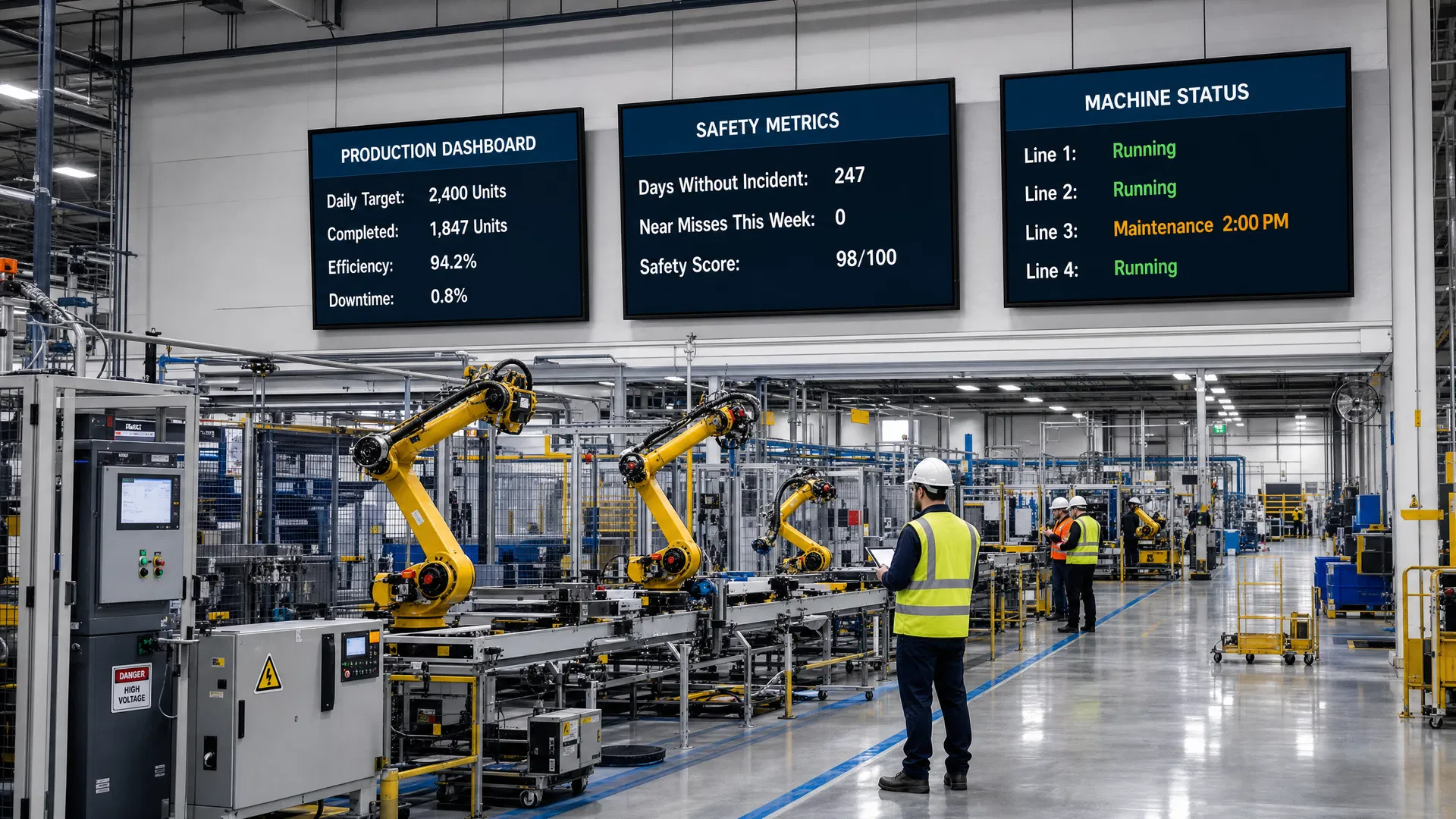
Most manufacturing facilities have invested heavily in enterprise software — ERP systems, MES platforms, SCADA dashboards, quality management tools. The data exists. The problem is that the people who need it most — operators, line supervisors, and safety personnel — are standing on a production floor with no access to a computer screen.
Government facilities serve a uniquely challenging audience: members of the public who may be unfamiliar with the facility, stressed by the nature of their visit (a court appearance, a license renewal, a benefits application), and who represent the full spectrum of ages, abilities, and language backgrounds. Static signage — printed directories, posted notices, and bulletin boards — is inadequate for this environment.
Digital signage addresses the core communication challenges of government facilities in three ways. First, it reduces perceived wait times. Research consistently shows that digital signage reduces perceived wait times by up to 35% in service environments — not by making queues move faster, but by giving waiting visitors information, context, and engagement that makes the wait feel shorter. In DMV offices, courthouses, and social services offices where wait times are a persistent source of citizen frustration, this is a measurable service quality improvement.
Second, it enables real-time communication. Government facilities are subject to rapidly changing conditions — court schedule changes, service window closures, emergency alerts, and public health notifications — that require immediate communication to everyone in the building. A networked digital signage system can push updates to every display in a facility in seconds.
Third, it serves diverse audiences more effectively than static signage. Digital displays can rotate multilingual content, display high-contrast accessible formats, and integrate with audio systems to serve visitors with visual impairments — capabilities that static signage cannot match.
Key Stat
Digital signage reduces perceived wait times by up to 35% in government service offices. With 26% of US adults having a disability, accessible digital communication is both a legal requirement and a service quality imperative.
ADA Section 508 Compliance Requirements
Section 508 of the Rehabilitation Act requires that federal agencies' electronic and information technology be accessible to people with disabilities. For digital signage, this creates specific requirements that go beyond the general ADA standards most facility managers are familiar with.
Physical accessibility requirements govern mounting height and reach range for interactive kiosks. The ADA Standards for Accessible Design specify that operable parts must be within reach ranges of 15–48 inches above the floor for forward reach and 9–54 inches for side reach. Displays mounted for passive viewing (non-interactive) have more flexibility but should be positioned so that content is readable from a seated position.
Content accessibility requirements align with WCAG 2.1 AA standards. Key requirements include: minimum 4.5:1 color contrast ratio for normal text and 3:1 for large text, captions for all video content with audio, no content that flashes more than three times per second (seizure risk), and text alternatives for all non-text content. For interactive kiosks, keyboard navigation and screen reader compatibility are required.
Audio accessibility is required for interactive kiosks in federal facilities. Headphone jacks with volume control are required on kiosks that provide audio output, and audio descriptions must be available for video content that conveys information visually.
Important
Compliance Note: Section 508 applies to federal agencies and federally funded programs. State and local government facilities are subject to ADA Title II, which has similar but not identical requirements. Consult with your agency's accessibility officer before finalizing display specifications.
| Requirement Category | Standard | Key Specification |
|---|---|---|
| Color Contrast | WCAG 2.1 AA | 4.5:1 minimum for normal text; 3:1 for large text (18pt+ or 14pt+ bold) |
| Interactive Reach Range | ADA Standards § 308 | 15–48 inches forward reach; 9–54 inches side reach |
| Video Captions | Section 508 § 1194.24 | Closed captions required for all pre-recorded and live video with audio |
| Flash Rate | WCAG 2.1 § 2.3.1 | No content flashing more than 3 times per second |
| Audio Output (Kiosks) | Section 508 § 1194.25 | Headphone jack with volume control; audio descriptions for visual content |
| Multilingual Content | EO 13166 | Federal agencies must provide meaningful access to LEP individuals |
Emergency Notification and Mass Alert Systems
Emergency notification capability is not optional for government digital signage — it is a core requirement that should be specified before any other feature. Government facilities are subject to a wide range of emergency scenarios: active threat situations, weather emergencies, chemical hazards, utility failures, and public health events. In each case, the ability to push an immediate, facility-wide alert to every display is a life-safety function.
The technical standard for emergency alert integration is CAP (Common Alerting Protocol), an XML-based standard used by FEMA's Integrated Public Alert and Warning System (IPAWS), the National Weather Service, and most state and local emergency management systems. A CAP-compatible digital signage CMS can automatically receive and display emergency alerts from these systems without requiring manual intervention from facility staff.
For active threat scenarios, digital signage systems should support manual override capability that allows a security officer or facility manager to push a custom alert message to all displays within seconds. This capability should be accessible from a mobile device, not just a desktop workstation, so that it can be activated from anywhere in or near the facility.
Content during an emergency should follow established best practices: high-contrast red or amber background, large white text, clear and specific instructions (not just "Emergency in Progress"), and — where audio is available — synchronized audio announcement. Displays should remain in alert mode until manually cleared by authorized personnel.
Important
Critical Requirement: Verify that your CMS vendor supports CAP (Common Alerting Protocol) integration before finalizing your platform selection. This is a non-negotiable requirement for any government digital signage deployment and should be demonstrated — not just claimed — during the evaluation process.
Wayfinding for Complex Government Facilities
Government facilities are among the most complex wayfinding environments in the built environment. A federal courthouse may house dozens of courtrooms, multiple clerk's offices, a marshal's office, a cafeteria, and multiple security checkpoints — all in a building that visitors may be entering for the first time under stressful circumstances. A county government center may serve hundreds of different departments across multiple buildings connected by skywalks and tunnels.
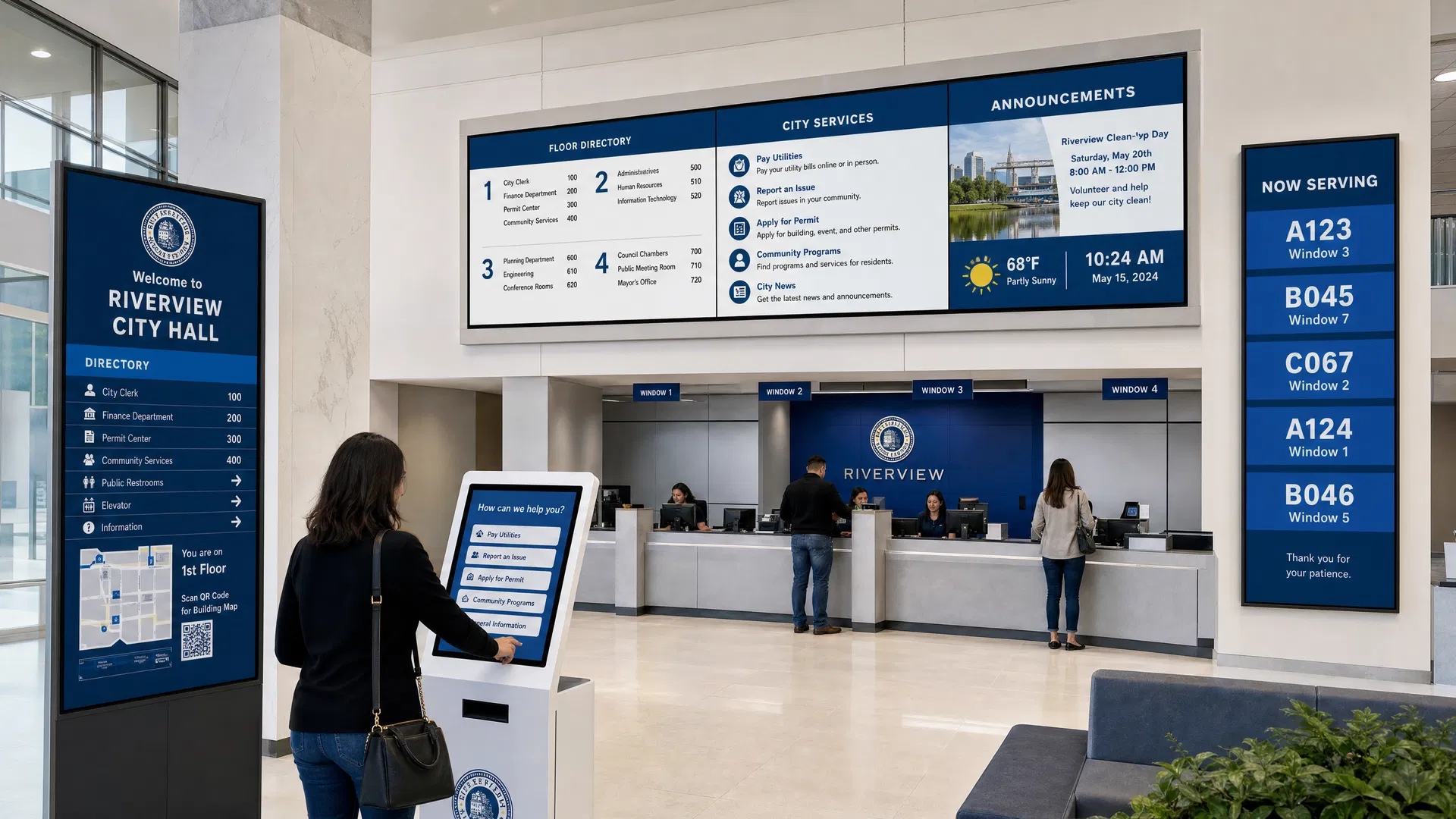
Digital wayfinding systems for government facilities typically combine three elements: directory displays at building entrances and elevator lobbies, zone-specific directional displays at decision points (corridor intersections, elevator banks, stairwells), and interactive kiosk wayfinding for facilities complex enough to require turn-by-turn navigation.
The content strategy for government wayfinding must account for the dynamic nature of government operations. Courtroom assignments change daily. Service windows open and close based on staffing. Temporary offices are established for special programs. A static wayfinding system becomes inaccurate within weeks of installation; a digital system connected to your facility management database or scheduling system stays current automatically.
For facilities serving non-English-speaking populations, multilingual wayfinding is both a legal requirement (Executive Order 13166 requires federal agencies to provide meaningful access to limited English proficient individuals) and a practical service quality improvement.
GSA Procurement and Acquisition Pathways
Federal agencies and many state and local government entities have access to streamlined procurement pathways for digital signage through the General Services Administration (GSA). Understanding these pathways can significantly reduce procurement timeline and administrative burden compared to a full competitive bid process.
GSA Multiple Award Schedule (MAS) is the primary procurement vehicle for federal digital signage. Digital signage hardware and software are available under Special Item Numbers (SINs) within the IT Category (formerly Schedule 70). Agencies can purchase directly from GSA Schedule contractors without issuing a separate solicitation, provided the purchase meets applicable thresholds and the contractor's schedule includes the required products and services.
Cooperative purchasing extends GSA Schedule access to state and local government agencies under the Cooperative Purchasing Program. This allows a county government, school district, or municipal agency to purchase from a GSA Schedule contractor at the same pre-negotiated prices and terms available to federal agencies — eliminating the need for a local competitive bid process for qualifying purchases.
For larger deployments that exceed simplified acquisition thresholds or require custom integration work, a Statement of Work (SOW) based procurement through GSA's IT Schedule 70 or a separate competitive RFP may be required. Coffman Media has experience with both procurement pathways and can provide documentation to support your agency's acquisition process.
Pro Tip
Procurement Tip: Request GSA Schedule pricing from any digital signage vendor you evaluate. If a vendor cannot provide GSA Schedule pricing, your procurement office will need to conduct a separate competitive process — adding weeks or months to your project timeline.
Security Requirements and FedRAMP Platforms
Digital signage systems for federal facilities must meet specific cybersecurity requirements that go beyond standard commercial deployments. The primary concern is network security: a digital signage media player connected to a government network is a potential attack vector if not properly secured, and a CMS platform hosted in the cloud must meet federal data security standards.
FedRAMP (Federal Risk and Authorization Management Program) is the federal government's standardized approach to security assessment and authorization for cloud services. Federal agencies are required to use FedRAMP-authorized cloud services for federal data. For digital signage, this means that the CMS platform — if cloud-hosted — must be FedRAMP authorized or the agency must accept the risk of using a non-authorized platform.
For classified or sensitive facilities, on-premise CMS deployment may be required to keep all data and control traffic within the agency's secured network perimeter. At the hardware level, media players should support firmware signing and secure boot to prevent unauthorized software from running on devices connected to government networks. Network segmentation — placing digital signage devices on a dedicated VLAN isolated from sensitive government systems — is a best practice for all government deployments regardless of classification level.
Content Strategy for Public-Facing Government Displays
Government digital signage content must balance three competing priorities: information density (there is a lot to communicate), accessibility (the audience includes people with disabilities, limited English proficiency, and low digital literacy), and engagement (content that is ignored is no better than no content at all).
The most effective government digital signage content follows the "3x5 rule" as a starting point: no more than three lines of text with five words each, or five lines with three words each. This constraint forces content creators to distill messages to their essential information and ensures readability at typical viewing distances in government lobbies and corridors.
Content playlists for government facilities should be organized by audience segment and location. Lobby displays near building entrances should prioritize wayfinding and service information. Waiting area displays should include queue status, service information, and engagement content (news, weather, public interest information) that makes the wait feel shorter. Corridor displays should focus on directional information and announcements relevant to the area of the building.
Regular content audits — at minimum quarterly — are essential to prevent the "stale content" problem that undermines the credibility of government digital signage programs. Assigning content ownership to specific staff members, with defined review schedules, is the most effective way to maintain content freshness across a multi-facility deployment.
Frequently Asked Questions
Answers to the most common questions about industry insights in digital signage.
Section 508 of the Rehabilitation Act requires federal agencies' electronic and information technology — including digital signage — to be accessible to people with disabilities. For digital signage, this includes content accessibility requirements (WCAG 2.1 AA color contrast, captions for video, no flashing content), physical accessibility requirements for interactive kiosks (reach range, operable parts), and audio accessibility requirements (headphone jacks, audio descriptions). State and local government facilities are subject to ADA Title II, which has similar requirements.

About the Author
Tim Ault
Co-Founder & COO, Coffman Media
Tim Ault is Co-Founder and COO of Coffman Media. With a background in project management and client relationship development, Tim oversees operations and ensures every deployment meets Coffman Media's standards for quality and client satisfaction across 600+ client engagements.
Connect on LinkedInWork With Coffman Media
Ready to Transform Your Screens Into Powerful Messages?
Coffman Media designs, installs, and manages end-to-end digital signage systems for enterprise, retail, healthcare, and education. From a single display to a nationwide network, we deliver solutions that drive real results.